> For the complete documentation index, see [llms.txt](https://docs.blup.in/llms.txt). Markdown versions of documentation pages are available by appending `.md` to page URLs; this page is available as [Markdown](https://docs.blup.in/~/changes/bxpytJQPpsJWb4ZdG6qm/wiki/design-ui/properties-panel/list-properties.md).
# List Properties
Manage list properties in Blup to display data effectively within your app's user interface.
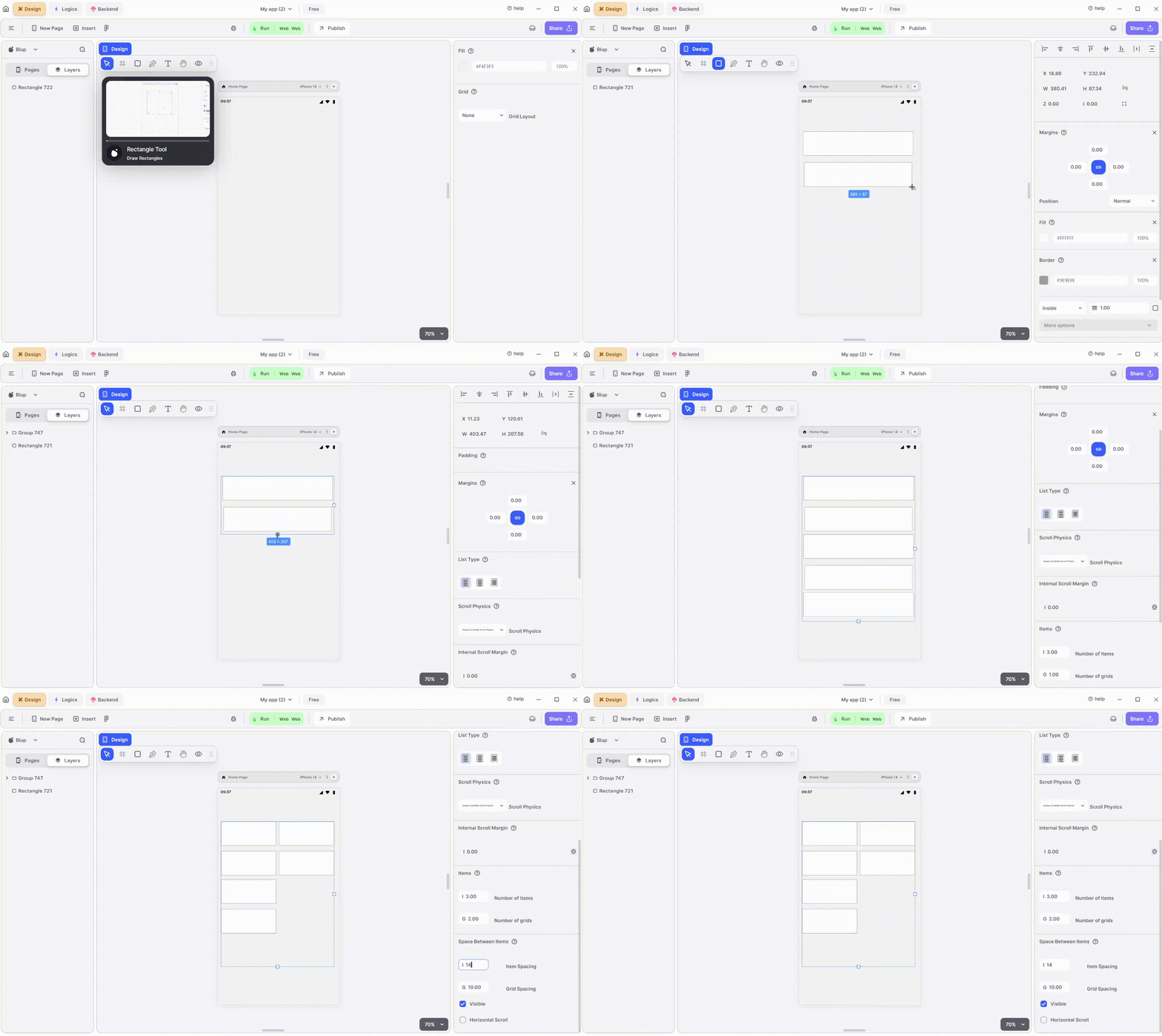
List UI
| Component | Description |
| -------------------------- | --------------------------------------------------------------------------------------------------------------------------------------------------------------------------- |
| **Align Icons** | Click icons or use shortcut keys to align text. For example, click "Align Left" or use Ctrl+Shift+Left to left-align text. |
| **Postitions** | Set List positions on the X and Y axis of the mobile canvas. |
| **List Size** | Specify the width and height of the List by providing values for width (W) and height (H). |
| **Margin** | Provide margin to the List view from any of the four directions by specifying the margin value. |
| **List Type** | Select the layout of the list: simple list, wheel list, or one item list. |
| **Scroll Physics** | Adjust the scrollable effect: always scrollable, bouncing, clamping, or never scrollable scroll physics. |
| **Internal Scroll Margin** | Adjust the margin of the list from inside. Provide a fixed margin for all sides or set individual margins by clicking on the icon. |
| **Space Between Items** | Adjust the spacing between the items inside the list. Set item spacing to adjust space between items or grid space for equal horizontal and vertical spacing between items. |
| **Visible** | By checking the checkbox the entire selected list will be hidden. |
| **Horizontal Scroll** | Check the checkbox to hide horizontal scroll and show only one item. |
If you have any ideas to make Blup better you can share them through our [Discord community channel](https://discord.com/channels/940632966093234176/965313562425823303)
## Music to go with.
{% embed url="" %}
Lofi music
{% endembed %}